Friday, December 12, 2008

Windows Live & Sky Drive

I know I have not been present for awhile however today (after listening to last weeks Windows Weekly with Leo Laporte and Paul Thurrott) I went out to check on my “LIVE” web site and yes it is changing.

Windows LIVE found at http://home.live.com is a place to go and get connected or at least it would appear. I go there to get to my Spaces and to access Sky Drive which is now up to 25 GB of storage space – and still FREE. I really think one needs to check this out.

Tuesday, December 2, 2008

Some Notes for December 2, 2008

In the past in this blog I have talked about "I Want Sandy" as a 'reminder' service that one could use that had many advantages. There is a note at the top of their web site that it is going off line permanently on December 8th. I also received word from Pownce that it is also shutting down however Pownce, it's developers and the technology is moving to Six Apart so not sure what the future will hold.


There will be a Window's Vista Service Pack 2 (as well as a Window's Server 2008 SP2)and should be available December 4th as a Customer Preview Program. I grabbed this from the Windows Vista Team Blog. You can check it out.


On another note; I picked up the Dec 2008/Jan 2009 copy of Fast Company tonight and it has a rather interesting article regarding Cisco and John Chambers. It is a rather good management/leadership read. There are other things in Fast Company that I like and I find it worth the time - very much so.


Enjoy

Saturday, November 29, 2008

First Entry With Zoundry Raven

This is the first post using Zoundry Raven which I just downloaded. It looks like it is going to be a good writer. I picked up the link from Paul Thurrott's blog and I am testing it out. I will have to add a picture to see how it works. I do have some issues using Windows Live Writer with Blogger and posting pictures.


I have also had paragraph issues with Windows Live Writer and cannot figure out why. We shall see if this works any better.


I have inserted an image, used paragraphs however I do not yet see how to have this tool reflect what the blog dimensions are so that I can see how it will lay out prior to publishing.

Sunday, November 9, 2008

The Future & Learning

As we watch all the changes today it is apparent that one needs to spend time each day learning something new. Reading 30 minutes a day in your specific work area and that could include shipping and receiving, building maintenance, and leadership. Things are changing faster than ever and not staying up is going to hurt everyone.

Now we have all heard this before, many times in our lives. From parents, teachers, and well intended employers however even the educated are getting left behind because of this fear of or un-willingness to accept the change that is coming down the road.

As we all know the Personal Computer (PC) in 1977 – 1985 (or 1990 even) was a fad and that the Internet was a waste of time and as I read magazines and newspapers today they all reference links to somewhere on the web – up in the Cloud if you will. If you have the knowledge and are not trying to turn on the lights for someone else you are not returning to society the benefits that you have gained.  I think that is what I like about teaching. I know, I talk too much but maybe someone will get the point that this is what is going on.

Now for a couple of links; Check out ReadWriteWeb. Very interesting site regarding “new technologies” as well as other technology items. If you are into news aggregating then check out Social|Median. It has just been opened to public Beta and might be just what you are looking for to put together YOUR news. I heard a discussion with Jason Goldberg on Floss Weekly. Jason is one of the founders and CEO. You can check out Jason’s Personal “News Feed” here.


Have a GREAT WEEK!! Spread the word.

Let me add one thing. Microsoft is releasing a product named SmallBasic. It is aimed at bringing fun into programming for both young and old. Check it out. You can download it from the link.

Monday, November 3, 2008

Windows Vista Magazine

You might want to check out the latest Windows Vista – The Official Magazine. It is the Winter 2008 volume and is packed full of interesting things regarding Windows Vista. It is well worth the read. Note: on the website they are still showing the Fall Edition, look for the one that says “44 AMAZING TECH GIFTS” at the top.

There are web tips, some items on speeding up your PC and then there is a High Tech Gift Guide. There is also a small introduction to Windows Live Mesh. Past post’s have also said to look into Windows Live – that is also my suggestion.

This has always been a fairly good magazine. Find out what you can do to grow more.

Tuesday, October 28, 2008

PDC & Windows 7 Plus Future Office

I would suggest that you check out Paul Thurrott’s SuperSite for Windows and  read the articles on the left side about both Windows 7 and Office 14 (or what it is referred to). I think you will see where Microsoft is trying to stake it’s claim on the Cloud.


Microsoft will be providing light weight versions of Word, Excel, PowerPoint and OneNote up in the Cloud. Paul does say in his write up (which includes pictures) that

“..sign up for Office Live Workspace. Microsoft tells me that it will allow any Workspace customers to access the tech preview when it becomes available later this calendar year.”

Get it - Office Live is GOOD right now and worth looking into if only on a Personal use. Mesh will be an active part of all of this. If you haven’t you need to check out Microsoft’s Mesh.

Now, after all the hoop la, a good part of this is not coming until 2009 – 2010. More information can be found at Mary Jo Foley’s blog as well as at the Technologizer blog by Harry McCracken. Mary Jo was there at PDC and her write up and information is always not notch. Her article is Microsoft to “Webify Office (Sort Of).

Here is Press Pass Information for Journalists direct from Microsoft, http://www.microsoft.com/Presspass/Features/2008/oct08/10-28PDCOffice.mspx – check it out.

Last but not least is Steve Clayton at Microsoft who blogs and works in the Software + Services area. I enjoy his writing – tech or no.

OK time to go prepare for tomorrow and Windows SharePoint Services 3.0 day 2. I love this life. Where else can I play with this “stuff”, teach this “stuff” and then try to pass along information with blogging? 

Who would believe that a Netscape Beta user could become a Microsoft “Fan Boy”. What a LIFE!

Monday, October 27, 2008

Live Services & Mesh Are Up Tomorrow @PDC

OK so today was not everything that I had hoped for. Windows Azure as a platform in the Cloud. You can follow PDC tomorrow (and watch the developments live) at PDC.

There is also an ongoing blog that I referred to in the past and that link is at Paul Thurrott’s SuperSite for Windows/pdc. Look down the right side of the page for the conversations from the bloggers that were asked to participate.

As the title says; tomorrow is Live Services which is supposed to include new information on Mesh. Today was for developers and tomorrow’s announcements are to be aimed at the consumer (user).

PDC Has Started & Here Comes The Cloud

Ray Ozzie has just introduced Windows Azure – the NEW Windows Cloud Computing system. More later.

Sunday, October 26, 2008

Economist Magazine & Cloud Computing

In Reading The Eponymous Pickle this morning Franz Dill linked to an article in The Economist regarding Cloud Computing that I thought was very good. The article is “Corporate IT - Let it Rise”, you can follow it here.


Good reading.

PDC Is Upon Us

While the PDC (Professional Developers Conference) “officically” starts tomorrow however it actually began last night and today there are many things happening. You can get information at http://www.microsoftpdc.com/ and follow along with the conference as it develops.

After reading some of the notes I see that there are going to be 7 bloggers that have been invited to participate in an “All Star Blogging” event and they are: Ed Bott, Mary Jo Foley, Kip Kniskern, Rafael Rivera, Paul Thurrott, Tom Warren, and Long Zheng. The article says that this “will include the latest on Windows Strata Cloud Computing, Live Mesh and of course Windows 7”.

My only wish (at the moment) is that I were there to witness the conference. A great deal of it may be over my head however you do not learn by not stretching. I try to tell that to all in my classes. If you do not know if something will work with your software, back it up and then try it. You  only have experience to gain and good or bad it will lead to learning. Some of the best experience I have had was from some of the great mistakes I have made, unfortunately I cannot seem to impart that wisdom to others.

Yes I am looking forward to what comes out of this PDC and I am seriously hoping that I will not be let down as I am expecting big things. My friends are somewhat concerned that I have suddenly become a Microsoft  supporter because of my background (early Netscape user – read Beta)  but I see them going places that we need to experience. I don’t care if Google is pushing them or they are driving Google, in either case we win.

I have to admit though that I have been a Microsoft Word user since around 1983 and stayed with them through the Word Perfect attack – and MS Word won that one also. I just wish sometimes that they were a bit more flamboyant and exciting in their approach.

Wednesday, October 22, 2008

Fast Company & Microsoft

There are many fascinating articles in this months issue of Fast Company however there are three that I found linked closely to what I do and what I am interested in as The App’s Guy and as an application instructor.


First up is “Presentation Pep Talk” on page 87 which has input regarding Fast Company creating PowerPoint presentations. Like so many articles today it takes on the overkill of using PowerPoint and what it should be rather than mega slides of bullet points. Only two pages and it is a thinking piece.

Onto the article about Gary Flake, head of the Live Labs at Microsoft. The writing is titled “Young Flakenstein” and can be found on page 119. The piece and the insert are both very interesting.

Last but not least in the three is Scobleizer on page 90. I like reading Robert and this is not different. We see these people all the time in our classes and they can be great spokes people for what we do.

There are many other pieces of writing that are worth the $4.99 – grab it up.

Monday, October 20, 2008

Monday, October 20, 2008

OK it's Monday and we have a new week with new technology news. Some of this is has been garnered from my Google RSS Reader - don't leave home without it.

From an article in Computerworld it appears there is a chance that Microsoft will be bringing forth a SP2 for Vista. The report; Microsoft Prep SP2 Beta is interesting reading.

Adobe's famous Photoshop is now available in CS4 at $699. In fact from what I am reading the complete CS4 Creative Suite is now available at the Adobe website. 

From TechCrunch today we have Motorola on the way to bringing us a Google Adroid phone and is recruiting people to work on it. I want one!! I have said that I would not use a phone for Internet connection from what I have heard the G1 at T-Mobile (being release on Wednesday) is looking good. Let's hope that Motorola can do as well. 

Now to find out what else is new and post that. Enjoy your day.


Friday, October 17, 2008

Using Google To Blog

This post is being created using Google Doc's. I am impressed with the changes that I see here as it has been some time since I have dropped into Google Doc's to use it. I am on the road and was looking for a way to post to the blog without using Microsoft's LIVE WRITER tool.


Interesting note; I started this yesterday and could not finish it so I picked it back up today on a totally different computer in another town. I then dropped in right back to where I left off. Today I am Excelling where yesterday I was Illustrating and on Wednesday I had a great Outlook (I do today also). Microsoft products are so correctly named. First you get the Word, then you Excel. After that you can make a PowerPoint and get a good Outlook. With all of that you get Access. Bill or Steve, your not listening. Ah such is the life of the instructor  


Saturday, October 11, 2008

Cloud Computing

I am reading InformationWeek and discovered an item in their Analytics column (Oct 6 – pg 8) that I thought was very interesting in the way that it was stated.

“Cloud Computing The shift to delivering information technology through a utility model is poised to change the business computing landscape as we know it. While smaller companies may lead this particular charge, enterprise IT can’t afford to hang back.”

I like that on the surface and more can be found at http://informationweekanalytics.com/ however since it is $499.00 I think I will most likely wait. I did like the teaser.

Blogging & Other Thoughts

I find it rather fascinating how blogging is so main stream that we do not talk about it anymore. The local newspaper’s, magazines, and some more advanced businesses have found another voice and a way to get it out there. In classes I have students who last year looked at me as if I was from outer space when blogging was mentioned and this year some of them are bloggers.

When I first started teaching application software in 2000 (after many years of consulting) I would have classes where only 1 or at the most 2 would even have an email address, today most people in our classes have at least two and some have three. What makes that more interesting is that email to some degree is being supplanted by SMS or text messaging and at a high rate of speed. Kids do more text messaging than email and they have been our leaders in a great deal of this technology. What is it, “out of the mouth of ….”.

.

Text messaging coupled with the use of Twitter is considered micro blogging – maximum length of post is 140 characters. In discussing Twitter with a student this week and explaining how a business could put it to use (and benefit from it) her comment was “Please do not tell my boss”. Technology is coming at us fast and if you duck you are in trouble.

One of the great things that I do (in my opinion) is to turn someone’s lights on to these great tools. I guess I have a passion for learning and for spreading the word.

Oh yes, I have 37 email addresses, but who is counting. I have a great Outlook so it’s a sunny day in the cloud.

Wednesday, October 1, 2008

Microsoft To release 'Windows Cloud' OS

InfoWorld has the following article on Cloud Computing that is inline with other information that had been said earlier.

Ballmer: Microsoft will soon release 'Windows Cloud' OS | InfoWorld | News | 2008-10-01 | By Jeremy Kirk, IDG News Service

I believe that Paul Thurrott (of Supersite for Windows) had said that something would be forth coming this month per Ray Ozzie at Microsoft. Could this be connected to Microsoft’s Mesh? It is possible.

Sunday, September 28, 2008

Companies To Watch Moving Toward 2009

As we go toward the end of 2008 and into 2009 and on to the end of the first decade of the 21st century what are the upcoming changes we will be looking at? For example will everyone be posting to wikis? If we use SharePoint for something other than file storage this could well be a possibility. Will wikis become the team collaboration tool of the future – collaborate from anywhere. It really should be (beats email) however we just might have to find a new breed of IT people to expand it (and management as well). Everyone will need more training in how to implement and use (use being a keyword) tools like SharePoint and wikis.

Change is a good thing. As for communication -

How about IN FLIGHT INTERNET? According  to INFORWORLD that could be a reality provided by Aircell. Currently they are already providing the service in Delta, Air Canada, AmericanAirlines and a number of private charter’s. Those long flights can become private time in your private office.

In September 2008 we saw Salesforce.com replace Freddie Mac on the S&P 500, I would think that this does lend some credibility to Cloud Computing – at least Marc Benioff, CEO, thinks so and I agree (being the astute non-investor that I am).

And will Google clean up Chrome to make it a viable alternative? Who knows (IE8 looks good) but I think some of these things will be fun to watch. Let’s add more to the list as we go ahead toward the next decade. Let’s really look at what lies ahead and put together some great prognostications for the next year and the next decade. I need some help (yes, I know there are those that would say I need a lot of help). Have a GREAT WEEK!

Wednesday, September 24, 2008

Oracle, Intel To Accelerate Cloud Computing -- Cloud Computing -- InformationWeek

My bet still holds – Cloud Computing is on the way. Check out the following article in InformationWeek. Too much money is being bet on this by people that have the ability to make it work.


Oracle, Intel To Accelerate Cloud Computing -- Cloud Computing -- InformationWeek

Thursday, September 18, 2008

A PowerPoint Competitor In The Cloud

In my reading of Webware tonight I discover a new service on the web called SlideRocket. It is a “new” presentation tool and while it is still in Beta one can sign up and give it a try. I did however because of the publicity that it received I was informed that it would take 15 to 20 minutes to process my request. Not a problem, I’m not going anywhere since walking is not one of those big things that I am doing these days. I grok waiting.

If you go to the web site, www.sliderocket.com, and check it out you will find a neat demo that only takes a few minutes to preview and then you can sign up for the Beta version if you would like.

One other link from Webware is an article that discusses Microsoft’s new FolderShare which is part of the Windows Live Freeware. There is a good write up on it at the Webware blog on FolderShare.

As for Microsoft’s folder share it the closest thing I have seen to a Cloud SharePoint with it’s ability to share files across many computers. This would be a great small business tool. The way we are progressing is that small business can have the same tools that big business does and be able to work on many platforms at the same time. Sharing files, thoughts, and idea’s are what can make a business go.

FolderShare as well as Office Live both of which have sharing features as well as Microsoft’s Mesh. One of these will hit and will work. I am reading more and more about people using Mesh and that is a good thing – IMHO

Monday, September 8, 2008

Google Chrome The New OS?

I have been playing with Google Chrome however I still think that IE8 is faster. I know there is a great deal being said on both sides of this issue. This morning I have been reading that a PC World writer, Steve Bass, is thinking this will lead to the next Operating System and that it will be one from Google. Here is the article; Steve Bass’s Tips & Tweaks. Who would have thought that? I heard the same thing on last weeks Cranky Geek’s with John C. Dvorak.

I find this a fascinating thought. Google is supposed to be making some kind of announcement at TechCrunch50 today around 2:45 EST – we shall see.


What will come from Apple’s announcement tomorrow? New iPod’s? New iPhone? I have heard a new subscription form for iTunes. Only time will tell.

Saturday, September 6, 2008

Microsoft LIVE Online

I have been using (or maybe playing with) Microsoft’s Online  “LIVE” Workspace and I am finding it quite good. If you have followed things that I have written in the past about Google’s Sites then you will know that I keep trying to find the “Best In Show” for Cloud Computing for the individual as well as for that “Small Business” person.

Small Business to me can be that one person with a product or service that they are promoting as well as a business that may have a number of 1 or 2 people offices in a number of cities. These businesses also need the tools to help them with their day-to-day work the same as anyone at P&G or Kroger’s. At Google you can use Google Doc’s and use their storage facilities to work with your documentation for the business however if you already have Microsoft Office products you may desire something else that just may be a little more powerful and useful for your team.

That something else can be Workspace.OfficeLive.Com. It is FREE (a key word for us) and you have up to 500 MB of space to store documents. Per Microsoft that could be about 1000 Word documents. You can upload documents from your computer and you can set up Workspaces and share them with other’s. You can have collaboration tools similar to Windows SharePoint Services and it will connect to your Microsoft Office products in much the same way. Not everything is there however there is enough to make your job a great deal easier.

You do get the ability to create contact lists and event lists that will connect with your Outlook software or just create lists that you want, store them online and/or share them with others. If you install the Microsoft Office Add-In then you can create documents in your office product (Word, Excel, PowerPoint) and save them to your Workspace as easy as if you were saving them on your computer. Once there you will be able to access them from anywhere, work, home or on the road. You just need an Internet connection.

Two notes: It is worth looking into and remember the key work FREE (at least for the time being). This is not the same as Microsoft’s Office Live Small Business. That would be something else to review.

Thursday, September 4, 2008

Vista – Love it or hate it

I find great irony in the fact that there are so many people who ‘know’ that Vista is an evil, vile operating system that should be burned at the stake at the first chance that we get. Those same people that claim that they will only give up XP when it is pried from their cold dead hand.

I know that Vista takes a little getting used to, it has more security than any other Microsoft OS (just what people screamed about), the ‘eye-candy’ interface uses up more resources than it probably needs to (those features can be turned off or don’t even exist on some versions of Vista), and there are still driver and compatibility issues that can lead to some instability (these are being reduced greatly as vendors update their software to work with the features of the new operating system).

All in all I have grown to like the features that Vista brings. I admit that I am spoiled with the version of Vista Ultimate that I have, but even so, in the business world there are a number of features that make Vista a more attractive operating system. The foremost of these is the security that I mentioned above.

So before end this sermon, let me remind all what it was like when XP was released; in an article written in 2005 entitled ‘Windows XP Adoption Rates Slow’, Ed Oswald points out that “many are eagerly awaiting Microsoft’s next version of Windows, known as Longhorn”, mainly because of how many people hated the new features of XP. So before you condemn Vista to the same level of hell reserved for 98ME, give it a try yourself and make your own decision.

Tuesday, September 2, 2008

Robert Scoble on Google Chrome

Here is Robert’s take on the new browser. If you do not know Robert Scoble is the prior Microsoft Evangelist blogger and is now with Fast Company and reports for them both in the magazine and in his online blog. His blog is worth reading  however he does ramble a bit but he is open and tells it like he see’s it, something that is missing today in new’s reporting. Check it out at http://scobleizer.com/2008/09/02/first-hour-with-googles-new-browser/ – note this is hosted at http:;//scobleizer.com and this is something that anyone can do.

You can ask for more information on blogging by just asking via comments.

Let The Browser War’s Begin

OK so now we have Google Chrome which can be downloaded for FREE (as any other browser) and you can search the web. I have done so tonight and I am impressed however not quite ready to give up the IE8 beta.

I have been very happy with IE8 beta and believe that it is faster in downloading pages which is what I do mostly. I find Chrome interesting in that Google has had this under wraps for 2 years  and that is “Jobsian” in nature (ref: Steve Jobs and Apples “no sneak preview”). I think I like that; “Jobsian” and will use it in the future when companies snooker us by sneaking something in without forewarning via leaking to the press 7 months before. Google is learning from the master.

The browser is worth taking a look as it does change a few things. I did note that after installing it I had some issues with IE8 and had to reboot but that is not new with any new  software.

Steve pay attention, this could be the start of something big and you heard it here first, “Jobsian" in nature.

Wednesday, August 27, 2008

IE 8 Now Available in BETA

OK if you are the optimistic type like I am, it is time to try out IE 8. Microsoft is making Beta2 available at www.microsoft.com/ie8. I know, I can hear you know, “I downloaded the Beta for IE 7 and it messed up my computer”. Well I downloaded the Beta for IE 7 and was very happy with it so why not try IE 8. It is a 12.7 MB download and can be downloaded for XP (Service Pack 2) as well as for Windows Vista. Since I am running Windows Vista (happily I might add) I have no problem going with IE 8.

Keep in mind that this is a Beta and therefore it is still in the testing stage. If you do not have patience to test and update as updates are available this is not for you. I also do not recommend that you do this on every computer that you have or on the one that is most important to your work, not until you see it work. As for anyone with a “company computer” I would stay away from this, your IT people may not be real happy with you if it messes up some enterprise software on your computer (that can happen).

While you are out there get the Silverlight Beta from Microsoft if you have not already downloaded it.

Speaking of browsers; I have the Firefox browser also and have downloaded Opera as well as Safari. They are FREE and you might as well find out which one is the “one for you”. I had been a “BIG” Firefox fan but as of lately I am using IE most of the time. It gets me what I want and that is all that matters. If the truth be known this computer has become a tool and all I need is that which will do the job.

Saturday, August 23, 2008

Learning Curves

In the beginning everything has a learning curve and depending on the complexity of the what you are trying to learn that curve can be very long or very short. Life has a real long learning curve however my thoughts here are in regard to learning software that will support your needs/wants/desires within the business environment.

For example lets look at Excel: If one only needed to know how to use Excel to do the household budget one could learn that in less than a day however if data analysis of large and different or varying amounts of data is in your interest (as well as presentation of that data) you will have to spend some time learning and understanding all of the tools that Excel provides, there are many. To start with you may take a class to get some hands on experience with some of the tools however once you know the tools then comes the time spent in applying the various tools to your data.

In this case applying I mean learning and learning means trial an error in most cases. It means playing, experimenting. evaluating, it means a great number of things all of which are part of the learning curve. I guess if you do not need to know much you won’t have a big learning curve however if you really need to “know"" something you will have to spend time working with the tools and potentially making mistakes – one thing that adults are prone to dislike. For a good learning experience making mistakes is one of the best learning tools. If it doesn’t work so what undo it and do it again but understand what you did that didn’t work from that you will learn what does work. As a side note you do not have to tell anyone about all your mistakes unless of course you are the instructor. 

I have had people say to me “I wish I knew what you know about Microsoft Word (or Excel)” and my response is “if you make as many mistakes as I have you will be an expert”. You cannot be afraid to try. This is very difficult to get across to people who are forced to make career changes they had not planned on. People who have been working a drill press are finding it difficult to adjust to a computer. I keep telling them to become a kid again and be willing to take some chances and be willing to realize you will not get it all in one sitting. Also no one uses all that Excel can do.

We learn what we need to do our job the best way possible, realizing that these tools are much more powerful. I understand Pivot Tables in Excel however I am always running into people that use them everyday and by experimenting and “playing” they can take Pivot Tables to a whole new level.

Remember life is always changing and learning something all the time can help reduce other life long boredom’s as well as keeping your mind active. I have been told that keeping your mind active and learning could be a prevention for Alzheimer’s. Who knew!

Sunday, August 17, 2008

New Communications Tool’s Getting Attention

I think it is fascinating that the latest in communications technology is drawing the attention of business publications. In the August 18th 2008 issue of Fortune Magazine there is an article in the Technology section on Twitter (pg 39). The writer goes on to define Twitter as a “micro blogging” tool and discusses a few of the well known who use the tool. It is also interesting that they also provide a list of Web 2.0 startups that are (as they say) “getting a lot of buzz.”

Taking this to another level, in PC Magazine, September 2008, there is an article under their FRONTSIDE section that talks about governments, colleges and others launching text-messaging alert systems. The article, “The Proving Ground for Text Alerts” (pg 18) states that “Cell-phone users voluntarily sign up to receive text alerts for emergences…”. The Fortune article mentions the Los Angles Fire Department using Twitter for this. I believe that if someone were to check into how Twitter can be set up this would work for the school systems as well.

Corporately Twitter can be used to get information out quickly to individuals who do not need to be able to access email to get that IMPORTANT NEWS FLASH. Most all of us have cell phones and on Twitter we can determine who we will follow and who we will allow to get through to our cell phones. At the moment I may be following 15 or 20 people however only 3 have access to me via my cell phone, I see the rest on the web – when I go there. I do admit that if the news starts to become trivial we will turn it off. Abuse will lead to less use.

Thursday, August 7, 2008

One More Word Learning Blog

I have discovered another Word teaching blog and it is called The Writers Technology Companion. It is worth having in your RSS reader if you would like to learn about various ways to create GOOD word documents – or better yet, better Word presentations.

I also would like to mention a couple of other blogs that are produced by writers. One of them, Seth Godin, I have enjoyed for quite awhile and have recently received permission to use one of his posts in an Microsoft Outlook class that I teach. His blog is Seth’s Blog – check it out. The other blog that I also enjoy is the Freelance Folder. I think I have mentioned it here before however once more won’t hurt.

I guess there are about 100 blogs that I follow but do not get to read each day and that is one reason to use an RSS reader. I can scan a great number of them looking at headlines and then reading that which I find very interesting.

Monday, July 28, 2008

The Latest Entry Into The Search Engine Field

If you have been reading the news there is a new search engine by the name of Cuil - www.cuil.com. It is different and brings results in a little bit different fashion. As per TechCrunch be sure and type the name correctly. I have tried Cuil and have found it quite interesting in it's return of information (or not). It was a little difficult to get to this morning due to everybody trying to see what it does but that has eased up. We all look for results in a different fashion and when I started in the mid 90's we had Webcrawler and that was the only thing I needed. It was the end all search engine that came into being in 1994. Today we have Google, Yahoo, and to many others to list here however they are all worth a look see to find if it is the one that returns the results in an order that you would like. The GIANT card catalog in the sky. Check this one out - www.cuil.com. You can also check out the article reviewed at TechCrunch here http://www.techcrunch.com/2008/07/27/cuill-launches-a-massive-search-engine/. And there is more information here at Computerworld (to which I was pointed to by The Eponymous Pickle).

Friday, July 25, 2008

More Crackberry Goodness

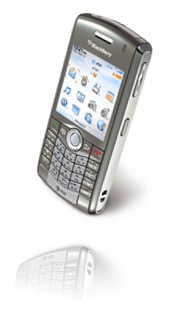
att-blackberry8110

I have been vexed for quite some time, as has a friend of mine, regarding the process one must use to delete multiple messages in the Blackberry environment. It seemed as if there was no way to delete multiple e-mails / text messages, or delete all of them simultaneously. On my previous cell phone, the Sony Ericsson W810 (a great little phone by the way), you could easily delete all text messages in one fell swoop. Because I am able to keep track of several different e-mail accounts, in addition to all of my text messages, my message views on my Pearl were beginning to become more than just a little cumbersome. Up to now, I have been deleting items one by one, which, as one can guess, is dramatically inefficient. Thankfully, I have found the answer I have been looking for: how to delete all or multiple e-mails or text messages simultaneously for a given date. My thumb is now forever grateful for finding this little gem.


In order to delete multiple e-mails or text messages, all one has to do is hold the alt key down on the keypad and roll down the list, which selects the e-mails / messages one by one as you drag down. Once you have all the e-mails / messages you want to delete selected, all you have to do is press the Menu button and choose the Delete option. If, on the other hand, you want to delete all of the e-mails / messages for a given date, just roll to the date above the messages, and while selected, press the Menu button and choose the Delete Prior option, which will delete all messages for that date! Whew! What a find! This now means that I can spend more productive quality time with my Crackberry, and by productive, I mean text messaging my friends.


Hopefully this little tidbit helps you become more productive with your own Blackberry device! Viva la Blackberry!


BYL = blog you later!

Thursday, July 24, 2008

Microsoft Outlook & Hotmail LIVE!!

It looks like Microsoft is going to bring the “synchronization” capabilities between YOUR Outlook (Personal) and Microsoft’s LIVE (which would be your personal online connection).You will be able to update your calendar, contacts and email between your Outlook and LIVE. From Microsoft’s announcement this looks interesting. Here is the link that you can check out: Microsoft Office Outlook Connector 12.1 Beta.

This will work for Outlook 2003 as well as Outlook 2007. You do have to have a Microsoft LIVE account and this link will lead you to it. You will need to have a Microsoft Passport ID and all that is required is to have a Hotmail email address.

I have been using Google’s Synch tool between Outlook and Google to keep connected however if you are a Microsoft LIVE user this would appear to be a better answer. What we need is a way to stay connected while on the road. If you have not already looked you might want to look into Microsoft LIVE!  There is a way to use online storage as well as sharing files with others via LIVE.

Tuesday, July 22, 2008

MS Office Blog To Help With Office Problems

I am working on a review of the various Note taking software packages available however I thought it would be a good idea to pass along a blog of interest to those who use Microsoft Office. I have followed this blog for a number of years and have found some of the information to be quite useful. The link for you to check out is to MS Office Blogs @ TechRepublic. You may have to register however there is no charge and if you are using an RSS reader to review your blogs this is one you should capture.

RSS readers are now available in Internet Explorer (IE7) or the latest release of Firefox. You can also use Google’s RSS Reader (which is my current choice). I happen to like Google’s reader because it is there for me to “see” whenever and wherever I want. I can email articles from it without issue since I also have a Google email address (free of course) 

Saturday, July 19, 2008

Saturday’s Searching For More

tweetbeeplogo This is a new service that tracks who is talking about you on Twitter. That is YOU, your company and or your products. This is not something you have to watch every minute for once you sign up and you set up the parameters TweetBeep will email you when your name (company name, product, etc.) is mentioned and the service is FREE. Check it out at TweetBeep, Since Twitter has received some new funding it would appear that it is getting a bit more stable. Interestingly I have 14 people following me and I do not Tweet that much.

While checking things out this weekend you might want to look into Viewzi, a new search engine. I have been fascinated with the new search web sites that appear from time to time as they are not “new” per se but give us another way to “view” our search results. Mahalo has been around for awhile and is doing well with not only search but presents it’s own Internet TV (Video Podcast’s) as well as it’s own news type of pages. Viewzi is yet another way of presenting “View’s” of your data. Per Viewzi “It’s all about the view”. Although Viewzi is till in Beta is worth the experience. Be warned that once there you might find your self hanging out while searching for different “views.

Tuesday, July 15, 2008

Online Meeting Resource

One of my colleagues mentioned that he was reviewing online web meeting software and I have just discovered what would appear to be someone new in this area. The company is Dimdim and it looks rather interesting. No desktop client is involved (you do not need to download anything) and it is free for you to use as an individual. You can “collaborate, chat, talk and broadcast via webcam”. There are other versions such as Dimdim Pro and Dimdim Enterprise which have fees involved but from the looks of the cost involved this would appear to be a real competitive program. The FREE version allows up to 20 people in a room where the Pro version allows up to 100. They will host the meeting software on their servers (back to the cloud).

From their own web site:

Dimdim is available as open source software so you can extend and improve it freely. Dimdim already integrates with CRM and LMS software and can be extended easily. And Dimdim is extremely flexible, available in hosted and onsite configurations and easily customizable.

According to a Tech Crunch article Dimdim has 500,000 subscribers and on July 9th Dimdim received an additional 6 million in funding. Maybe we need to check this out

Friday, July 4, 2008

Floating on an Apple Core in the Clouds

mobileMe-logo Much to the chagrin of some of my more Microsoft Oriented co-workers, I seem to have the beginnings of an addiction to Apple products (some may argue it is not the beginning of an addiction, more like a worsening addiction).  Well, here I go again about Apple and their newest entree into Cloud computing…their MobileMe environment. MobileMe has become the replacement for the .Mac accounts that Apple enthusiasts are familiar with and was unveiled at the last WWDC in early June of this year and is slated for release at some point in July.

The basic account features of MobileMe are as follows:


[Accounts for individuals]: 1 year subscription is $99 with 20GB of combined e-mail and file storage ($49 for an additional 20GB of storage capacity & $99 for an additional 40GB of storage capacity), 200GB of monthly transfer, and access to the full gamut of MobileMe.


[Family Pack accounts]: 1 year subscription is $149 with one individual account plus 4 family member accounts, each family member gets their own e-mail address ($49 for an additional 20GB of storage capacity & $99 for an additional 40GB of storage capacity), 5GB of combined e-mail and files storage, 50GB of monthly transfer, and access to the full gamut of MobileMe.


The basic features of a MobileMe account are as follows:


[Push e-mail]: works with the Mail program on a Mac, iPhone, and iPod Touch, and also works with Outlook, Outlook Express, and Windows Mail.


[Push Contacts]: works with Address Book on a Mac, Contacts on the iPhone and iPod Touch, and also works with Outlook, Outlook Express, and Windows Contacts. When you use me.com, you can find contacts by using the integrated Google Maps feature.


[Push Calendar]: works with iCal on the Mac and Outlook on the PC


[Gallery]: a central location for the storage of pictures that can be accessed from any computer via a web browser. This is similar to the offerings of Flickr and other similar image hosting web-sites.


[iDisk]: this is an online hard drive for the storage of files. On a Mac, you can use the Finder feature to search your iDisk for content. Additionally, there is drag and drop capabilities, as well as file sharing and downloading of files.


I think the interesting aspect of this is that Apple takes great pains to make sure that individuals using PCs will be able to use this environment. It now seems the Microsoft Mesh will eventually be able to support individuals on a Mac; initially, I didn’t see any support for Mac, only PCs. It could be that Microsoft saw what MobileMe was going to let people do, which then forced their hand. I could be wrong, it could be they intended to do this all along; it just seems that the timing is a little coincidental. Mesh does give you 5GB of storage for free, which is smaller than MobileMe’s 20GB, so I wonder if eventually one will be able to pay for more server space like you can with MobileMe; in today’s workplace, 5GB is not a lot of room. It also doesn’t appear that you can sync email, contacts, and calendars in Mesh, it’s more geared toward file sharing and folder synchronization. Either way, I think it’s a great idea that the two biggest platforms start cooperating more with each other, as both frankly have their strong and weak points.


I refer back to a more philosophical blog that I created last month called Our Head in the Clouds: while our heads may be in the clouds, or at least floating in that general direction, it will be important that we still learn to save everything on ‘older’ media such as CD-Rs, DVD-Rs, and flash drives. All of this technology relies on the stability of the Internet, and as we all know, it can be as unstable at various points in time. Additionally, one may find oneself in a location where there is no Internet access, and if you don’t have an alternate means of accessing a file, you will be out of luck.


In the end, I cannot wait to get my iMac next year and begin to use MobileMe to see how well it integrates both a Mac and  PC universe; I’m sure it will be quite an interesting trip to say the least! Until then, I think I will try playing around with Mesh for a while.


And by the way, Happy Independence Day; may we all remember what this day is celebrating and try to live that out in our daily lives. As always, don’t forget to thank a veteran for what they have done, or are doing, to help keep this nation free!

The Friday July 4th Review

It’s Friday and it is time for a “Weekly Review”. I have been digging around this morning with regards to Microsoft as I have read (and heard) that they are going to start a subscription program for software in the near future and I wanted to know more so out to Microsoft I went. So far I have not been successful at documenting the software rental story but I did find a number of other good things; Microsoft Startup Center for Small Business, Microsoft Hosted Services – which I found very fascinating with regards to what they will do for small businesses, and then Microsoft Unified Communications which links you to the power of software (Microsoft’s) to have a complete communications program. Interestingly this is aimed at small as well as larger business.

In my travels at Medgadget this morning I discovered a computer being used/promoted within the medical field that drew my attention. This looks like it could be used by anyone traveling that has to deal with clients/customers and be able to research their account information. It really did look quite handy. Link here; Motion C5 Mobile Clinical Assistant Gets New Features.

From Reuters’ News Service a note about an acquisition that could be quite interesting;  Ask.com closes acquisition of Dictionary.com. That is if you use dictionary and thesaurus tools that are web based. If you are using Microsoft Office applications these tools are built in however if you are using some of the Cloud services you may have the dictionary but need the thesaurus. Sometimes I think a thesaurus is as important as a dictionary in writing to get my point across.

I found the Microsoft rental software story on a podcast by John C Dvorak on “tech5” (“the most important 5 minutes of your day”) and then followed that with a Google search to Slashdot which led to a Yahoo article; “Microsoft to sell Office, One Care for $70 a year”. Whew, just doing due diligence, however I have not been able to locate it at Microsoft or at Circuit City which the article references. 

One last note here (as I finish my Starbucks coffee) is that there is now a site, http://www.flightmemory.com/ that has the following description from it’s web site: Flight Memory enables you to easily keep track of where you have flown and then easily produce maps showing your flight routes. This was found via a link from WebWare which is a blog with other great links. This is something I have always thought about as I fly. I see things on the ground and would like to know where they were precisely. I will look further into this.

*Please note Starbucks does not pay for any promotional reference to it’s name. In fact neither does anyone else mentioned herein, darn.

AVG is evil and it must be stopped!

In an attempt to provide a more secure web environment, Grisoft, the creator of the free antivirus software AVG, has provided a way for its product to check websites for malware. When you type your information into the text box of a search engine, AVG will inspect the first page of sites displayed to see if they contain malware. If no malware is found, AVG annotates the site with a green star adorned with a check mark. A yellow icon with an exclamation point is identified as a questionable site; a red "X" indicates an evil site, and a gray icon with a question mark is a site that AVG cannot search. Slashdot, one of my favorite websites, has blocked AVG from scanning.

The biggest complaint that I have seen about this new feature is that it has increased web traffic. Those webmasters who are trying to analyze web traffic are having fits trying to sort out real website requests from those initiated by AVG. They are even going so far as to redirect the requests back to AVG in order to "teach them a lesson." This has resulted in the AVG site being unavailable for signature file updates. This seemed like a great idea some webmasters. Let's block people from getting the virus signature files so their computers become infected. What a service you are providing to humanity!

Having just spent several hours on the phone and using remote desktop to clean my father-in-law's computer in Pensacola, Florida, of nasty malware/spyware, I can tell you I welcome this new rating system. I have tried to explain to him that there is a right way to download software from the Internet and there is a wrong way but he is not the computer expert he needs to be to protect himself. So if there is an additional way to indicate to him that there is malicious intent associated with a website, I welcome it. Webmasters should reconsider their attempts to circumvent the efforts of AVG. Those of us in the computer security field recognize that additional security inhibits productivity initially, but in the long run the time and energy it takes to counteract the effects of malware will be lessened if not eliminated.

Tuesday, July 1, 2008

Update On Software & Technologies for Today

From the Official Google Blog for today “…we have already seen more than 500,000 organizations adopt Apps as part of their business..” It looks like Google App’s are doing well at least in Europe. The article is worth looking at and they give a good example of it’s use. It’s Cloud Computing on the leading edge.

On another point, in my email this morning was the update on EverNote and it has gone to a Public Beta which means you can sign up without an invite. This all has been noted in an entry in Paul Thurrott’s Super Site Blog with a complete listing of the more recent additions to the tool. I have been using EverNote for about 2 months now and I find it very good. I do have to admit that now with Microsoft’s Mesh I can use OneNote again and have it synchronize via Mesh. This is also a GREAT tool.

A step away from the software end to a blog that I have found quite interesting for it’s use of introducing new items in the medical industry is Medgadget. Today the FDA approved a Onetouch Ping Diabetes System that communicates wirelessly to an insulin pump. It is fascinating to see technology being used to make life better. There are many gadgets that come up here that are worth noting.

Speaking of gadgets you need to look at Engadget. This is one for the RSS reader (which ever one you use). It comes up with absolutely the latest and greatest of gadgets (some not my style). From Engadget today I was able to find a buy in a workstation that looks rather interesting. Check out this HP xw4550 Work Station starting at $599. Not bad with 2 GB of SDRAM, 160 GB Hard drive – and so on. Follow the link and you can check that out. You buy the box that will run the software just like you buy the TV that will give you the picture you want or the washing machine to wash your clothes. We are all looking for results.

The sad news today is that Starbucks will be closing 600 stores, I sure hope that none of them are where I go.

Saturday, June 28, 2008

More Good Things For The Online Company/Worker

This week I received an email about a product that has been around since 2005 however it has changed over time and in 2007 really made some nice changes. What fascinate’s me is that as much reading, reviewing and searching that I do this one skipped under my radar. That site is Box.net and it is one of those sites that will be very useful for both an individual as well as small business and non-profit organizations. From their own description; “The service enables users to share, access, and collaborate on files of any type from anywhere.” The rates for storage and sharing will depend (obviously) on how much you want or need however their rate for 5 users at 15 gigabyte overall storage ($19.95 a month) did not seem too bad to me. They also can connect with data from Zoho, Picnik and eFax which are all sites that provide great tools for the online world we live in today.

One thing that has entered my mind over the last few years has been the development of a site that could hold “personal” data, passwords, private financial information, and just items that you would want someone to have if something should happen to you. Some kind of “Online Safe Deposit Box” where you could pass along the “security code” to access it if something should happen to you. It would beat the steel box under the bed kind of thing (or cigar box of old) that could get destroyed in a fire. I wonder if Box.net could address that. I think that the first negative reaction (the “oh that will never work”) would be the question of security however I do believe that this could be overcome.

Additional note: One day with some kind of amorphous printer driver, or printers that will accept USB drives, we will be able to use the online software and storage, work on a file and then print (if and when needed) anywhere. Walk into a copy shop, Office Depot or wherever, with your file created online, stored on a USB drive and print it out. Our future XML structure should make this all possible. 

There is an short article in a previous Fortune magazine (December 2007) issue that I found very interesting with regard to both Box.net as well as the whole Cloud Computing issue. Maybe we need a new CIT – Cloud Information Technologist.

One other thought with respect to Cloud Computing, isn’t this the “real” Ethernet? I need more coffee.

Sunday, June 22, 2008

Our Heads in the Clouds

I am going to wax philosophic, just a little, in this blog entry, about cloud computing and technology in general. The concept of cloud computing is highly compelling to say the least. Cloud computing makes team collaboration on files much easier than the traditional means of collaborating through multiple e-mail attachments. This new paradigm will certainly be a welcome respite from the glory days of having to remember to bring floppy discs, CDs, DVDs, or flash drives with you in order to synchronize files between a desktop and laptop or to take a presentation or file(s) outside the office. Of course, as with all things, there are downsides, and cloud computing is certainly no exception. What about the issue of information security and integrity? What is one to do when the servers "in the clouds" fall and go boom, as servers are apt to do, only to realize an important file is online only? Let us not forget the communal panic and anxiety when RIM Blackberry experienced a brownout or two, essentially grinding the lives of people to an absolute halt. Many Crack(berry) users didn't know what to do with themselves, let alone remember how to get in touch with people in the non-Crack(berry) world (horror of horrors, they may have actually had to talk with someone rather than text or email them, lol). It certainly was bizarre to see business people curled up in figurative fetal positions, incapable of making a decision because they weren't able to get information from their Crack(berry).


Technology is a wondrous thing, but one must stop and ask if we rely too heavily, at times, on the newest and greatest computing inventions; it seems as if our lives are continuously marching to the quiet rhythm of 0s and 1s. Just stop and think for a moment about how dependent we are on technology; we have forgotten how to survive in a world without personal computers, the Internet, or cell phones. One might surmise we really are plugged into the Matrix. Technology has made us a lot of promises about how we would comport our day to day lives. However, do we not remember the promise that we would swiftly become a paperless world with the rise of the desktop computer? In reality, we are drowning in paper. Do we not remember the promise that e-tailing web-sites would be the downfall of the modern mall? Sure, we buy more and more from online web-sites, but we still desire the joy of the tactile shopping experience, even as we experience the agony of dealing with everyone else going to or already in the mall. It's just like the Nortel commercial tells us (and I think it's a fantastic commercial narrated by someone with a British accent--everything sounds better and authoritative coming from a Brit, lol), "human's cannot not communicate"; we are all social and feeling creatures.


Does all of this mean that I am advocating a movement back to the pre-desktop computing world? Absolutely not, as I love new technology and its potential. Business is all about pushing boundaries and finding better, easier, faster, and cheaper methods of going about one's business. Technology like this could obviously benefit a startup company or small business that does not have the financial resources to purchase and maintain their own infrastructure as well as benefit the "Average Joe" on the street wanting a simple and centralized location to store important files accessible anywhere by anyone. All I am saying is that we shouldn't totally put our faith in the constant rollout of new technology, as technology can certainly let us down. If we are to start venturing out into the clouds, we still need to make sure that we store multiple backup files on 'older' media on the off chance that servers start falling from the skies above us. In the end, some of those ‘oldies but goodies’ regarding storage media may come in very handy when our newer technologies have their occasional hiccup. Would it really be such a burden to actually store files on flash drives, and walk it over to our co-worker every once in a while?  Would it really be such a bad thing for people to stop chatting online or talking with one another on cell phones and actually meet and communicate face to face? I think not.

Saturday, June 21, 2008

Saturday Morning Review

OK it’s Saturday and I am operating out of Starbucks today here at the Jungle (Jungle Jim’s). I have spoken in the past about Twitter and today I found a good article on “How to Write in 140 Characters or Less” that I would like to pass along. The author, Dustin Wax, is also the creator of “The Writer’s Technology Companion” which is also an interesting site and worth looking at.

I happened to be at a wine tasting last night (imagine that) and met a very interesting person who sells utility equipment. In the course of the conversation I mentioned this site (What’s New On The Horizon) and he pulls out his iPhone and sends himself an email with the address of the site. Gone are the days of the scratch pad. I asked some questions about how he liked his iPhone and found that the company he is working for will be going over to Google for email and will be using the iPhone. I did start to think afterwards that I use Google email and their IMAP protocol to bring the email into Outlook and at that point I can then create a Task that I will be able to set up with a reminder.

I was quite impressed with the way my friend handled the ability to make this quick note. I guess the impression comes from the fact that this is what I do but then I am in this business of finding and using these technologies he is in the business of selling and putting these technologies to a practical application – I just play. What is even more interesting is that most IT people that I talk to do not get in the way of these new technologies, it is not of interest to them and they do not see the practical application where the rest of the world can.

I can remember in the late 80’s when I was purchasing computer systems for installation in large video stores, I was discussing  with the builder how I felt that building computers in the future would be the same as building TV’s and that the “real” benefit would be in the use of the technology not the technology per se. I still believe that.  I have an electro-mechanical technician’s background but today I could care less how it goes together, it’s what can I do with it to make my life easier, to communicate, and allow me to do my thing.

Have a GREAT WEEKEND!!

Wednesday, June 18, 2008

Firefox 3.0

Mozilla released it’s latest Firefox 3.0 yesterday (the 17th) and they were looking to set a “new” Guinness World Record for download’s in a 24 hour period. Although we won’t know the full story for about a week it would look like they just may succeed. After a begining slowdown according to Mozilla they were able to attain a speed of around 9,000 downloads per minute putting them in the area of 5 to 7 million downloads in a day. I did my part and downloaded it to two computers. I think it is cool but I am personally still using Internet Explorer 7 and looking forward to IE 8 (coming soon to your desktop).

I have contended all along that communication is changing rapidly and I think that an article on Webware.Com regarding changes on the New York Times blog is an indication of what I have been alluding too. I think the idea that there is a special iPhone interface that will allow you to read your NY Times is great. I have often said that the screen is too small however I think even I am adapting to using small screens. What the heck, I am text messaging these days and following others on Twitter that is linked to my cell phone.

Speaking of cell phone, I came to work today without it and almost feel like I didn’t completely dress. If this is the change that we have had in the last ten years I really do wonder what the next 10 will bring and are YOU READY FOR THIS?

Sunday, June 15, 2008

Cloud Computing

I know that the last 2 or 3 articles have been in regard to the area of Cloud Computing and in doing a “Google” search I found an article by James Staten at Forrester that was published in March of this year entitled “Is Cloud Computing Ready For The Enterprise?”. From an excerpt of the document I found a line that expresses my thought on this subject rather well; "It's wildly popular with startups, exactly fits the way small businesses like to buy things, and has the potential to completely upend IT as we know it."

Between Adobe, Microsoft, and Google we are seeing a great deal of emphasis on this and it is catching on. In the recent issue of PC Magazine, July 2008, there is an article on “Living in the Cloud” that tends to portray it as still out there but not an immediate solution. This article spends it's time mentioning only Google's app's and says nothing about Microsoft's Live Workspace, Microsoft's Mesh or Acrobat.com.

I can see small businesses grabbing on to this in a heartbeat as a solution to bring in services that heretofore were only the domain of the larger corporation; Exchange Servers, SharePoint, Web technology and business programs (SaaS - Software as a Service) written with specific jobs to do. Salesforce.com has done a good job with their CRM software and you pay for that service which you use. There are plenty others like this.

On another note, I just used Mesh to connect back to my desktop computer from my "Cafe Office" in Borders Bookstore. Since I am using my Verizon USB Modem to connect and the signal has only 2 bars I think that was somewhat significant and I can connect via Mesh from any computer. Hmmm, I think I better upgrade my security.

One last note for this Sunday. On Paul Thurrott's "SuperSite for Windows" blog  for June 14th he shows 1st Qtr. 2008 sales for Notebook computer's vs. 1st Qtr. 2007 and most all Mfg.'s are up on an average of 35%. Is it possible that we have more people connecting on the road? Perhaps there should be some training offered for the Road Warrior as well as training/seminars on the new tools and "What's New On The Horizon".

What is this and how can I make the most out of it while allowing me to focus on my business? Great question.

Wednesday, June 11, 2008

Adobe Acrobat.com -- Collaboration Adobe Style

acrobat_8_48x45Adobe has a new beta program released called Acrobat.com. At Acrobat.com, once you register, you have access to a variety of tools that help with day to day tasks, as well as giving  you the ability to collaborate, through the web, with co-workers. The variety of free tools make workplace collaboration a breeze--there is Buzzword, Create PDF, Share, Connect Now, and lastly My Files. What makes this special, compared to a few competitors, is that everything is web based---the only thing needed is the most recent version of Flash Player.


Buzzword: basic word processor with the ability to access files anywhere, collaboration with other team members assigned one of 3 roles for level of document access, the ability to add comments which will be a different color based on contributor, version history and real time status on the document being worked on.


Create PDF: allows you to create a PDF from a myriad of file types such as text, Microsoft Office, Star Office, Word Perfect, and various image files. There is a 5 document conversion limit; once the limit is attained, you either have to purchase Acrobat or subscribe to the Create Adobe PDF Online service.


Share: Allows you to store files online and then send a URL to collaborators to gain access to the shared file, rather than sending a large file attachment on an email.  It allows you to create a list of recipients for access to the file which can be manipulated at any time. It also allows you to copy the HTML of the file in question to then paste into code view for a web-site.


My Files: this is fore the files you wish to upload to Acrobat.com; there is a maximum limit of 5 GB of storage space. However, you cannot upload audio files, video files, font files, archive formats, system and executable files, web files, database files, or raster image files.


Connect Now: allows you to do screen sharing, chat, create notes, have video teleconferencing, all requiring no special downloads; all that is necessary is Flash Player.


All of this is free by setting up an account at Acrobat.com!


This move by Acrobat is taking a direct swipe at Google Docs, and has been very well received by individuals based on its slick interface and ease of use. Additionally, this can be foiled against the Microsoft Workspace, which has the basic appearance of a SharePoint environment. Adobe is leveraging its workplace notoriety to provide a simple solution for organizations that don't want to implement SharePoint Services. Acrobat.com is a simple environment, but does have its quirks based on its Beta testing status. All told, it is an interesting addition to the ever more crowded web based office solutions environment. In time, there will be a more robust system for individuals who wish to pay a yearly fee, while a more basic version of the completed project will still exist for those who don't wish to pay for more advanced content.


If you are interested in learning more about the product offerings, please go to Acrobat.com

I Knew There Was A Reason For Us To Do This

I followed a link today from a blog, The Eponymous Pickle, to an article on the Scientific American web site stating: Blogging, it's Good for You and I really think they have something here. Check it out. I have to admit that I knew it all along.

Follow Up On Mesh & OneNote

Following up on yesterday's post re: Mesh. I had put my OneNote file (complete folder) on Mesh and then went home and set my desktop computer up on Mesh and synchronized the OneNote file that I had. This has been a real pain for me because I have learned to love OneNote. I have switched recently to EverNote because of this synchronization ability. Well now it works via Mesh. To test I change a few things in OneNote and then this morning, on the road, accessed the Internet opened my Live Mesh connection and OneNote was updated automatically - key word "automatically".


Now with the ability to add files and give other permission to specific folders we have our own simulated SharePoint for those of us who want to be able to collaborate or coordinate files with others not on the "Company Network". There were some things I had to "guess" my way through however I have to admit that I thought it was somewhat intuitive.

Now to put a files and find someone to "share" it with to see the real benefits of this Mesh thing. I do believe that this "Cloud Computing" thing will be major benefit to all. I have been using Google's for some time but this one works with my Microsoft software. The next step will be for Google to open up their file sharing and file storage to Microsoft's documents and files as well as their Ajax based products. I can hear Microsoft breathing hard and they could catch up.

Tuesday, June 10, 2008

Microsoft's Mesh

With all this Apple talk lately I thought I would talk about Microsoft's Mesh computing - or Cloud Computing if you would like. I am a bit fascinated with the idea of being able to work off-line on files, connect and have the on-line file updated, go to another computer (say my desktop) and synchronize the files from the "Cloud" (if you will) down that were created on the laptop while at Borders (or Starbucks). If you are interested in this you might check out the Team Blog for Mesh at http://blogs.msdn.com/livemesh/, it is good reading and after reading a few entries you get the idea that this would be a good tool for business people who do not have a SharePoint portal to use. Also good for non-profits and small groups. You can post Word or Excel documents as well as PowerPoint's.

You know maybe I should be teaching this.

The "Cloud Computing" thing is one of the reasons that I like EverNote. I can put things into my notes from my laptop and collect them at home on my desktop and then if needed use the software on a USB drive to take my notes with me wherever I go. Putting this all together lets me have my files wherever I am and to share things with others that need to be shared. With Mesh above I could start this blog in Windows Live Writer, ask someone else who posts here to review it, make changes and then post it. All I have to do is give them the privilege to see the folder.

If you start to put this all together you begin to see a glimpse of the future of communications. One example would be Twitter. Let's say you are sending out a reminder for a scheduled meeting (conference call) and you send the reminder via email, one only gets that if they happen to connect to get email however if everyone had an account on Twitter (and followed you as well as each other - easy to do) then you send a tweet (short and sweet) it would appear as a text message on everyone's phone. You could send the number to call as well as the code for access. No email to clean up, everyone would get it no matter where they were. A good way to send Hot News to the Team. Ahh, but we would have to go into the future to do that (it's here now - why not try it out).

Monday, June 9, 2008

An Apple A Day....

iPhone Well, as you saw on here, we have announced the Apple announcement concerning the iPhone. There was so much more discussed during the Keynote address..enough for a geek to faint from sheer excitement. Overall, the Keynote address is long, but certainly worth watching, especially the section talking about the development tools available for the creation of applications for the iPhone. The one thing that I would tell Steve Jobs however is that he really needs to wear a belt with his jeans and choose a color other than black (I do know this is part of his persona at these Keynotes, but come on, just put on a belt at the very least).


What will be interesting to see will be if the current price drop on the iPhone will have any impact on the pricing for the iPod touch. It would seem logical that they too would drop a bit in price, especially since they are an iPhone without the phone. It will certainly be interesting to watch what happens with Apple as the year progresses. Click on the picture of the iPhone to go directly to the Keynote address video at the apple.com web-site.


Technorati Tags: ,,

Apple WWDC 2008

Apple has sold over 6 million iPhone's, 98% customer satisfaction and now we are going to 3G. Today an iPhone 3G with new camera, 36% faster, live blogging, built in GPS, longer battery life (5 hrs on 3G), and a new price; $299 for 16 GB and $199 for a 3G  8 GB iPhone. It will be available July 11. 3rd party AP's and some FREE AP's as well as those for $9.99.

I am sure that we will have more as we go along.

Sunday, June 8, 2008

The Apple of My Eye

3d Apple Logo It will be interesting to see what comes out of the WWDC (Worldwide Developers Conference) this week. Rumors have abounded concerning new a new iPhone release among other things. This will also be the beginning of the countdown to the purchase of my own Mac, though I haven't decided between the MacBook Pro or the iMac 24". For more information about the WWDC, visit the Apple web-site.


For your enjoyment, here is a link to the location for Apple advertisements--nothing short of marketing genius, whether you are a fan of the Mac or not.

A Hand Full of Crack(berry)

One often hears about users of Blackberry devices as addicts; people with thumbs that honestly travel faster than the speed of light as they select, read, reply to, and compose messages. Over the past 10 years of training, I have seen my share of new technological 'gizmos' touted to enhance and optimize one's time in the business environment, no matter where one was at. In essence, even when you were out of the office, you could still be in the office. I mean really, what better way to spend one's time out of the office than to be connected to it, albeit tenuously, regardless of where one is located. It's just like I tell people at work on a Friday...TGIF, because that means it's only two days until Monday. Now we can be at the office 7 days a week, 24 hours a day, if we really had the inclination to be.


Prior to the Blackberry there were several business tools that had become actual human appendages--the laptop/notebook computer, the cell phone, and the PDA. Each of these new 'appendages' became indispensable in the minds of students. From my perch atop the Ivory Pillar of knowledge, I used to look at people and wonder why and how such 'appendages' became so utterly necessary for life. I, in fact, told myself that my phone and my laptop would never be attached to my hip. Well, we all know what happens when we use "never" in a sentence--invariably, we are liable to do the very thing that we say we never will. It is at this point that the Blackberry, more appropriately referred to as the Crackberry, came into my life.


It all started with a friend of mine who asked me to go with him to help him pick out a new cell phone. After looking at several different alternatives, he settled on the Pearl. It is a nice looking phone, very sleek and stylish. Additionally, it is, in essence, a mini-communications powerhouse with a phone feature. From the moment I touched it, I became addicted to the thing. Based on this quick addiction, I told myself that I did not need to upgrade my phone early, as I was quite pleased with it; I managed to resist for 1 week. After that, I had no choice but to buy one for myself. Long story short, I can now check my online email from my phone, reply to messages, even create my own, all with a keyboard that is laid out like a typewriter's QWERTY keyboard. To say that I am addicted to my phone, well would be understatement. For those of you that are new to Crackberries, I found a few really good web-sites for free Blackberry content, or for Blackberry accessories:


For accessories: http://www.blackberrysource.com/

For forums, downloads, etc.: http://www.pinstack.com/

For themes, mp3s, games: http://www.bplay.com/


By the way, I got a great Blackberry theme from pinstack.com that looks like Mac OS X Leopard (here is the link to aquaberry http://blackberryforums.pinstack.com/showthread.php?t=72313&highlight=aquaberry).  You will have to register in order to download content. Just make sure you look for themes that are made for your model phone!


And, based on the fun brought to you by The Ap's Guy, here is a little fun from around the world musically, a la the Numa Numa song, more appropriately named Dragostea din Tei, an earworm song from Romania--here's one of my favorite translations from Korea (Korean version of Dragostea din Tei)! This tune will be in your head for a very long time, even if you don't understand a word of it, lol. Enjoy!

Saturday, June 7, 2008

Saturday, Outlook & Other Things

It's Saturday and this week has flown by. Perhaps this week looked like it was processed with a 10 Gig Dual Quad Core CPU. It started out on HTML and then we Excel(ed), got Access and wound up with a good Outlook. Best thing I can say. Where would we be without a good Outlook?

On the other hand where would we be without Microsoft Software. They have given us the WORD, allowed us to EXCEL, make a  POWERPOINT, and then they gave us ACESS. How could we miss not having a fantastic OUTLOOK. I can see out on the HORIZON where it is all headed and I feel for anyone out there with ACESS DENIED (or is that ACCESS DENIED?).

While surfing this morning I discovered that my mouse was now controlling the sound on my computer, Interesting. I roll the wheel the sound gets louder or softer. A little search turned up two interesting web sites, lifehacker which led to freewaregenius, they both talk about this. Lifehacker discusses it as a "Featured Windows Download". Now it would appear that my control came as a Microsoft download - who knew? FREE stuff from Microsoft? It doesn't get any better than this.

On another note my wife and I went to see the "Jersey Boys" last night for the second time. It was worth it. Today I am hanging out at Borders (my office away from home - the coffee shop) and I think I will stop here and look some more interesting things on the web. NOTE: I am grateful that we are not doing this on punch cards and are not limited to 140 characters ala Twitter. Enjoy your weekend. By the way for something exciting click here.

Tuesday, June 3, 2008

My how we've changed

Back when I was new to computers we had things like punch cards, floppies (including the 8" variety) and slow, I mean slow machines, but no matter how slow that we thought the computers were back then, the applications that we were running did not tax the processors all that much. Really, how much processing power did you really need to update text (monochrome test at that) on a screen?

Then came personal computers and then this funny little program called "Windows" that had a graphical interface that started to use more and more resources on the computer (a trend that continues to this day).

So now the applications, and their associated operating systems, were starting to put more and more strain on the computer slowing it to a crawl. Storage space also was a big deal (remember the programmer's motto: "you give me space I will fill it up!"). Now we could upgrade our machine's hardware (at a cost), but it was not until the advent of faster and cheaper computers that the hardware actually started to pull away from the software to the point that now, unless you are playing some high-end games, you are probably not taxing your computer a whole lot with that turbo-tax program that you are using (yes, even you Mr. Gates).

So why the history lesson? I want to set the groundwork for the NEXT BIG THING! (sorry for the yelling, but I do get a little excited)...Virtualization. If you haven't used software such as Microsoft VPC or VMWare what in the heck are you waiting for? You are certainly going to see virtualization as part of new operating systems (Windows Server 2008 for example).

Virtualization allows you to use one physical machine and have it 'host' other logical machines that are optimized to do specific tasks on your network. Up to this point we could have multiple services running on the same machine, but if to optimize one service you had to take away from another, you really were not gaining anything. With virtual machines, you basically have multiple separate entities that can be treated independently and secured, optimized and configured for a specific role.

Now we have a way of using the resources on our big honking computers (BHC for the non-technical crowd) as efficiently as possible.

Technorati Tags: ,,