Saturday, June 28, 2008

More Good Things For The Online Company/Worker

This week I received an email about a product that has been around since 2005 however it has changed over time and in 2007 really made some nice changes. What fascinate’s me is that as much reading, reviewing and searching that I do this one skipped under my radar. That site is Box.net and it is one of those sites that will be very useful for both an individual as well as small business and non-profit organizations. From their own description; “The service enables users to share, access, and collaborate on files of any type from anywhere.” The rates for storage and sharing will depend (obviously) on how much you want or need however their rate for 5 users at 15 gigabyte overall storage ($19.95 a month) did not seem too bad to me. They also can connect with data from Zoho, Picnik and eFax which are all sites that provide great tools for the online world we live in today.

One thing that has entered my mind over the last few years has been the development of a site that could hold “personal” data, passwords, private financial information, and just items that you would want someone to have if something should happen to you. Some kind of “Online Safe Deposit Box” where you could pass along the “security code” to access it if something should happen to you. It would beat the steel box under the bed kind of thing (or cigar box of old) that could get destroyed in a fire. I wonder if Box.net could address that. I think that the first negative reaction (the “oh that will never work”) would be the question of security however I do believe that this could be overcome.

Additional note: One day with some kind of amorphous printer driver, or printers that will accept USB drives, we will be able to use the online software and storage, work on a file and then print (if and when needed) anywhere. Walk into a copy shop, Office Depot or wherever, with your file created online, stored on a USB drive and print it out. Our future XML structure should make this all possible. 

There is an short article in a previous Fortune magazine (December 2007) issue that I found very interesting with regard to both Box.net as well as the whole Cloud Computing issue. Maybe we need a new CIT – Cloud Information Technologist.

One other thought with respect to Cloud Computing, isn’t this the “real” Ethernet? I need more coffee.

Sunday, June 22, 2008

Our Heads in the Clouds

I am going to wax philosophic, just a little, in this blog entry, about cloud computing and technology in general. The concept of cloud computing is highly compelling to say the least. Cloud computing makes team collaboration on files much easier than the traditional means of collaborating through multiple e-mail attachments. This new paradigm will certainly be a welcome respite from the glory days of having to remember to bring floppy discs, CDs, DVDs, or flash drives with you in order to synchronize files between a desktop and laptop or to take a presentation or file(s) outside the office. Of course, as with all things, there are downsides, and cloud computing is certainly no exception. What about the issue of information security and integrity? What is one to do when the servers "in the clouds" fall and go boom, as servers are apt to do, only to realize an important file is online only? Let us not forget the communal panic and anxiety when RIM Blackberry experienced a brownout or two, essentially grinding the lives of people to an absolute halt. Many Crack(berry) users didn't know what to do with themselves, let alone remember how to get in touch with people in the non-Crack(berry) world (horror of horrors, they may have actually had to talk with someone rather than text or email them, lol). It certainly was bizarre to see business people curled up in figurative fetal positions, incapable of making a decision because they weren't able to get information from their Crack(berry).


Technology is a wondrous thing, but one must stop and ask if we rely too heavily, at times, on the newest and greatest computing inventions; it seems as if our lives are continuously marching to the quiet rhythm of 0s and 1s. Just stop and think for a moment about how dependent we are on technology; we have forgotten how to survive in a world without personal computers, the Internet, or cell phones. One might surmise we really are plugged into the Matrix. Technology has made us a lot of promises about how we would comport our day to day lives. However, do we not remember the promise that we would swiftly become a paperless world with the rise of the desktop computer? In reality, we are drowning in paper. Do we not remember the promise that e-tailing web-sites would be the downfall of the modern mall? Sure, we buy more and more from online web-sites, but we still desire the joy of the tactile shopping experience, even as we experience the agony of dealing with everyone else going to or already in the mall. It's just like the Nortel commercial tells us (and I think it's a fantastic commercial narrated by someone with a British accent--everything sounds better and authoritative coming from a Brit, lol), "human's cannot not communicate"; we are all social and feeling creatures.


Does all of this mean that I am advocating a movement back to the pre-desktop computing world? Absolutely not, as I love new technology and its potential. Business is all about pushing boundaries and finding better, easier, faster, and cheaper methods of going about one's business. Technology like this could obviously benefit a startup company or small business that does not have the financial resources to purchase and maintain their own infrastructure as well as benefit the "Average Joe" on the street wanting a simple and centralized location to store important files accessible anywhere by anyone. All I am saying is that we shouldn't totally put our faith in the constant rollout of new technology, as technology can certainly let us down. If we are to start venturing out into the clouds, we still need to make sure that we store multiple backup files on 'older' media on the off chance that servers start falling from the skies above us. In the end, some of those ‘oldies but goodies’ regarding storage media may come in very handy when our newer technologies have their occasional hiccup. Would it really be such a burden to actually store files on flash drives, and walk it over to our co-worker every once in a while?  Would it really be such a bad thing for people to stop chatting online or talking with one another on cell phones and actually meet and communicate face to face? I think not.

Saturday, June 21, 2008

Saturday Morning Review

OK it’s Saturday and I am operating out of Starbucks today here at the Jungle (Jungle Jim’s). I have spoken in the past about Twitter and today I found a good article on “How to Write in 140 Characters or Less” that I would like to pass along. The author, Dustin Wax, is also the creator of “The Writer’s Technology Companion” which is also an interesting site and worth looking at.

I happened to be at a wine tasting last night (imagine that) and met a very interesting person who sells utility equipment. In the course of the conversation I mentioned this site (What’s New On The Horizon) and he pulls out his iPhone and sends himself an email with the address of the site. Gone are the days of the scratch pad. I asked some questions about how he liked his iPhone and found that the company he is working for will be going over to Google for email and will be using the iPhone. I did start to think afterwards that I use Google email and their IMAP protocol to bring the email into Outlook and at that point I can then create a Task that I will be able to set up with a reminder.

I was quite impressed with the way my friend handled the ability to make this quick note. I guess the impression comes from the fact that this is what I do but then I am in this business of finding and using these technologies he is in the business of selling and putting these technologies to a practical application – I just play. What is even more interesting is that most IT people that I talk to do not get in the way of these new technologies, it is not of interest to them and they do not see the practical application where the rest of the world can.

I can remember in the late 80’s when I was purchasing computer systems for installation in large video stores, I was discussing  with the builder how I felt that building computers in the future would be the same as building TV’s and that the “real” benefit would be in the use of the technology not the technology per se. I still believe that.  I have an electro-mechanical technician’s background but today I could care less how it goes together, it’s what can I do with it to make my life easier, to communicate, and allow me to do my thing.

Have a GREAT WEEKEND!!

Wednesday, June 18, 2008

Firefox 3.0

Mozilla released it’s latest Firefox 3.0 yesterday (the 17th) and they were looking to set a “new” Guinness World Record for download’s in a 24 hour period. Although we won’t know the full story for about a week it would look like they just may succeed. After a begining slowdown according to Mozilla they were able to attain a speed of around 9,000 downloads per minute putting them in the area of 5 to 7 million downloads in a day. I did my part and downloaded it to two computers. I think it is cool but I am personally still using Internet Explorer 7 and looking forward to IE 8 (coming soon to your desktop).

I have contended all along that communication is changing rapidly and I think that an article on Webware.Com regarding changes on the New York Times blog is an indication of what I have been alluding too. I think the idea that there is a special iPhone interface that will allow you to read your NY Times is great. I have often said that the screen is too small however I think even I am adapting to using small screens. What the heck, I am text messaging these days and following others on Twitter that is linked to my cell phone.

Speaking of cell phone, I came to work today without it and almost feel like I didn’t completely dress. If this is the change that we have had in the last ten years I really do wonder what the next 10 will bring and are YOU READY FOR THIS?

Sunday, June 15, 2008

Cloud Computing

I know that the last 2 or 3 articles have been in regard to the area of Cloud Computing and in doing a “Google” search I found an article by James Staten at Forrester that was published in March of this year entitled “Is Cloud Computing Ready For The Enterprise?”. From an excerpt of the document I found a line that expresses my thought on this subject rather well; "It's wildly popular with startups, exactly fits the way small businesses like to buy things, and has the potential to completely upend IT as we know it."

Between Adobe, Microsoft, and Google we are seeing a great deal of emphasis on this and it is catching on. In the recent issue of PC Magazine, July 2008, there is an article on “Living in the Cloud” that tends to portray it as still out there but not an immediate solution. This article spends it's time mentioning only Google's app's and says nothing about Microsoft's Live Workspace, Microsoft's Mesh or Acrobat.com.

I can see small businesses grabbing on to this in a heartbeat as a solution to bring in services that heretofore were only the domain of the larger corporation; Exchange Servers, SharePoint, Web technology and business programs (SaaS - Software as a Service) written with specific jobs to do. Salesforce.com has done a good job with their CRM software and you pay for that service which you use. There are plenty others like this.

On another note, I just used Mesh to connect back to my desktop computer from my "Cafe Office" in Borders Bookstore. Since I am using my Verizon USB Modem to connect and the signal has only 2 bars I think that was somewhat significant and I can connect via Mesh from any computer. Hmmm, I think I better upgrade my security.

One last note for this Sunday. On Paul Thurrott's "SuperSite for Windows" blog  for June 14th he shows 1st Qtr. 2008 sales for Notebook computer's vs. 1st Qtr. 2007 and most all Mfg.'s are up on an average of 35%. Is it possible that we have more people connecting on the road? Perhaps there should be some training offered for the Road Warrior as well as training/seminars on the new tools and "What's New On The Horizon".

What is this and how can I make the most out of it while allowing me to focus on my business? Great question.

Wednesday, June 11, 2008

Adobe Acrobat.com -- Collaboration Adobe Style

acrobat_8_48x45Adobe has a new beta program released called Acrobat.com. At Acrobat.com, once you register, you have access to a variety of tools that help with day to day tasks, as well as giving  you the ability to collaborate, through the web, with co-workers. The variety of free tools make workplace collaboration a breeze--there is Buzzword, Create PDF, Share, Connect Now, and lastly My Files. What makes this special, compared to a few competitors, is that everything is web based---the only thing needed is the most recent version of Flash Player.


Buzzword: basic word processor with the ability to access files anywhere, collaboration with other team members assigned one of 3 roles for level of document access, the ability to add comments which will be a different color based on contributor, version history and real time status on the document being worked on.


Create PDF: allows you to create a PDF from a myriad of file types such as text, Microsoft Office, Star Office, Word Perfect, and various image files. There is a 5 document conversion limit; once the limit is attained, you either have to purchase Acrobat or subscribe to the Create Adobe PDF Online service.


Share: Allows you to store files online and then send a URL to collaborators to gain access to the shared file, rather than sending a large file attachment on an email.  It allows you to create a list of recipients for access to the file which can be manipulated at any time. It also allows you to copy the HTML of the file in question to then paste into code view for a web-site.


My Files: this is fore the files you wish to upload to Acrobat.com; there is a maximum limit of 5 GB of storage space. However, you cannot upload audio files, video files, font files, archive formats, system and executable files, web files, database files, or raster image files.


Connect Now: allows you to do screen sharing, chat, create notes, have video teleconferencing, all requiring no special downloads; all that is necessary is Flash Player.


All of this is free by setting up an account at Acrobat.com!


This move by Acrobat is taking a direct swipe at Google Docs, and has been very well received by individuals based on its slick interface and ease of use. Additionally, this can be foiled against the Microsoft Workspace, which has the basic appearance of a SharePoint environment. Adobe is leveraging its workplace notoriety to provide a simple solution for organizations that don't want to implement SharePoint Services. Acrobat.com is a simple environment, but does have its quirks based on its Beta testing status. All told, it is an interesting addition to the ever more crowded web based office solutions environment. In time, there will be a more robust system for individuals who wish to pay a yearly fee, while a more basic version of the completed project will still exist for those who don't wish to pay for more advanced content.


If you are interested in learning more about the product offerings, please go to Acrobat.com

I Knew There Was A Reason For Us To Do This

I followed a link today from a blog, The Eponymous Pickle, to an article on the Scientific American web site stating: Blogging, it's Good for You and I really think they have something here. Check it out. I have to admit that I knew it all along.

Follow Up On Mesh & OneNote

Following up on yesterday's post re: Mesh. I had put my OneNote file (complete folder) on Mesh and then went home and set my desktop computer up on Mesh and synchronized the OneNote file that I had. This has been a real pain for me because I have learned to love OneNote. I have switched recently to EverNote because of this synchronization ability. Well now it works via Mesh. To test I change a few things in OneNote and then this morning, on the road, accessed the Internet opened my Live Mesh connection and OneNote was updated automatically - key word "automatically".


Now with the ability to add files and give other permission to specific folders we have our own simulated SharePoint for those of us who want to be able to collaborate or coordinate files with others not on the "Company Network". There were some things I had to "guess" my way through however I have to admit that I thought it was somewhat intuitive.

Now to put a files and find someone to "share" it with to see the real benefits of this Mesh thing. I do believe that this "Cloud Computing" thing will be major benefit to all. I have been using Google's for some time but this one works with my Microsoft software. The next step will be for Google to open up their file sharing and file storage to Microsoft's documents and files as well as their Ajax based products. I can hear Microsoft breathing hard and they could catch up.

Tuesday, June 10, 2008

Microsoft's Mesh

With all this Apple talk lately I thought I would talk about Microsoft's Mesh computing - or Cloud Computing if you would like. I am a bit fascinated with the idea of being able to work off-line on files, connect and have the on-line file updated, go to another computer (say my desktop) and synchronize the files from the "Cloud" (if you will) down that were created on the laptop while at Borders (or Starbucks). If you are interested in this you might check out the Team Blog for Mesh at http://blogs.msdn.com/livemesh/, it is good reading and after reading a few entries you get the idea that this would be a good tool for business people who do not have a SharePoint portal to use. Also good for non-profits and small groups. You can post Word or Excel documents as well as PowerPoint's.

You know maybe I should be teaching this.

The "Cloud Computing" thing is one of the reasons that I like EverNote. I can put things into my notes from my laptop and collect them at home on my desktop and then if needed use the software on a USB drive to take my notes with me wherever I go. Putting this all together lets me have my files wherever I am and to share things with others that need to be shared. With Mesh above I could start this blog in Windows Live Writer, ask someone else who posts here to review it, make changes and then post it. All I have to do is give them the privilege to see the folder.

If you start to put this all together you begin to see a glimpse of the future of communications. One example would be Twitter. Let's say you are sending out a reminder for a scheduled meeting (conference call) and you send the reminder via email, one only gets that if they happen to connect to get email however if everyone had an account on Twitter (and followed you as well as each other - easy to do) then you send a tweet (short and sweet) it would appear as a text message on everyone's phone. You could send the number to call as well as the code for access. No email to clean up, everyone would get it no matter where they were. A good way to send Hot News to the Team. Ahh, but we would have to go into the future to do that (it's here now - why not try it out).

Monday, June 9, 2008

An Apple A Day....

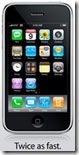
iPhone Well, as you saw on here, we have announced the Apple announcement concerning the iPhone. There was so much more discussed during the Keynote address..enough for a geek to faint from sheer excitement. Overall, the Keynote address is long, but certainly worth watching, especially the section talking about the development tools available for the creation of applications for the iPhone. The one thing that I would tell Steve Jobs however is that he really needs to wear a belt with his jeans and choose a color other than black (I do know this is part of his persona at these Keynotes, but come on, just put on a belt at the very least).


What will be interesting to see will be if the current price drop on the iPhone will have any impact on the pricing for the iPod touch. It would seem logical that they too would drop a bit in price, especially since they are an iPhone without the phone. It will certainly be interesting to watch what happens with Apple as the year progresses. Click on the picture of the iPhone to go directly to the Keynote address video at the apple.com web-site.


Technorati Tags: ,,

Apple WWDC 2008

Apple has sold over 6 million iPhone's, 98% customer satisfaction and now we are going to 3G. Today an iPhone 3G with new camera, 36% faster, live blogging, built in GPS, longer battery life (5 hrs on 3G), and a new price; $299 for 16 GB and $199 for a 3G  8 GB iPhone. It will be available July 11. 3rd party AP's and some FREE AP's as well as those for $9.99.

I am sure that we will have more as we go along.

Sunday, June 8, 2008

The Apple of My Eye

3d Apple Logo It will be interesting to see what comes out of the WWDC (Worldwide Developers Conference) this week. Rumors have abounded concerning new a new iPhone release among other things. This will also be the beginning of the countdown to the purchase of my own Mac, though I haven't decided between the MacBook Pro or the iMac 24". For more information about the WWDC, visit the Apple web-site.


For your enjoyment, here is a link to the location for Apple advertisements--nothing short of marketing genius, whether you are a fan of the Mac or not.

A Hand Full of Crack(berry)

One often hears about users of Blackberry devices as addicts; people with thumbs that honestly travel faster than the speed of light as they select, read, reply to, and compose messages. Over the past 10 years of training, I have seen my share of new technological 'gizmos' touted to enhance and optimize one's time in the business environment, no matter where one was at. In essence, even when you were out of the office, you could still be in the office. I mean really, what better way to spend one's time out of the office than to be connected to it, albeit tenuously, regardless of where one is located. It's just like I tell people at work on a Friday...TGIF, because that means it's only two days until Monday. Now we can be at the office 7 days a week, 24 hours a day, if we really had the inclination to be.


Prior to the Blackberry there were several business tools that had become actual human appendages--the laptop/notebook computer, the cell phone, and the PDA. Each of these new 'appendages' became indispensable in the minds of students. From my perch atop the Ivory Pillar of knowledge, I used to look at people and wonder why and how such 'appendages' became so utterly necessary for life. I, in fact, told myself that my phone and my laptop would never be attached to my hip. Well, we all know what happens when we use "never" in a sentence--invariably, we are liable to do the very thing that we say we never will. It is at this point that the Blackberry, more appropriately referred to as the Crackberry, came into my life.


It all started with a friend of mine who asked me to go with him to help him pick out a new cell phone. After looking at several different alternatives, he settled on the Pearl. It is a nice looking phone, very sleek and stylish. Additionally, it is, in essence, a mini-communications powerhouse with a phone feature. From the moment I touched it, I became addicted to the thing. Based on this quick addiction, I told myself that I did not need to upgrade my phone early, as I was quite pleased with it; I managed to resist for 1 week. After that, I had no choice but to buy one for myself. Long story short, I can now check my online email from my phone, reply to messages, even create my own, all with a keyboard that is laid out like a typewriter's QWERTY keyboard. To say that I am addicted to my phone, well would be understatement. For those of you that are new to Crackberries, I found a few really good web-sites for free Blackberry content, or for Blackberry accessories:


For accessories: http://www.blackberrysource.com/

For forums, downloads, etc.: http://www.pinstack.com/

For themes, mp3s, games: http://www.bplay.com/


By the way, I got a great Blackberry theme from pinstack.com that looks like Mac OS X Leopard (here is the link to aquaberry http://blackberryforums.pinstack.com/showthread.php?t=72313&highlight=aquaberry).  You will have to register in order to download content. Just make sure you look for themes that are made for your model phone!


And, based on the fun brought to you by The Ap's Guy, here is a little fun from around the world musically, a la the Numa Numa song, more appropriately named Dragostea din Tei, an earworm song from Romania--here's one of my favorite translations from Korea (Korean version of Dragostea din Tei)! This tune will be in your head for a very long time, even if you don't understand a word of it, lol. Enjoy!

Saturday, June 7, 2008

Saturday, Outlook & Other Things

It's Saturday and this week has flown by. Perhaps this week looked like it was processed with a 10 Gig Dual Quad Core CPU. It started out on HTML and then we Excel(ed), got Access and wound up with a good Outlook. Best thing I can say. Where would we be without a good Outlook?

On the other hand where would we be without Microsoft Software. They have given us the WORD, allowed us to EXCEL, make a  POWERPOINT, and then they gave us ACESS. How could we miss not having a fantastic OUTLOOK. I can see out on the HORIZON where it is all headed and I feel for anyone out there with ACESS DENIED (or is that ACCESS DENIED?).

While surfing this morning I discovered that my mouse was now controlling the sound on my computer, Interesting. I roll the wheel the sound gets louder or softer. A little search turned up two interesting web sites, lifehacker which led to freewaregenius, they both talk about this. Lifehacker discusses it as a "Featured Windows Download". Now it would appear that my control came as a Microsoft download - who knew? FREE stuff from Microsoft? It doesn't get any better than this.

On another note my wife and I went to see the "Jersey Boys" last night for the second time. It was worth it. Today I am hanging out at Borders (my office away from home - the coffee shop) and I think I will stop here and look some more interesting things on the web. NOTE: I am grateful that we are not doing this on punch cards and are not limited to 140 characters ala Twitter. Enjoy your weekend. By the way for something exciting click here.

Tuesday, June 3, 2008

My how we've changed

Back when I was new to computers we had things like punch cards, floppies (including the 8" variety) and slow, I mean slow machines, but no matter how slow that we thought the computers were back then, the applications that we were running did not tax the processors all that much. Really, how much processing power did you really need to update text (monochrome test at that) on a screen?

Then came personal computers and then this funny little program called "Windows" that had a graphical interface that started to use more and more resources on the computer (a trend that continues to this day).

So now the applications, and their associated operating systems, were starting to put more and more strain on the computer slowing it to a crawl. Storage space also was a big deal (remember the programmer's motto: "you give me space I will fill it up!"). Now we could upgrade our machine's hardware (at a cost), but it was not until the advent of faster and cheaper computers that the hardware actually started to pull away from the software to the point that now, unless you are playing some high-end games, you are probably not taxing your computer a whole lot with that turbo-tax program that you are using (yes, even you Mr. Gates).

So why the history lesson? I want to set the groundwork for the NEXT BIG THING! (sorry for the yelling, but I do get a little excited)...Virtualization. If you haven't used software such as Microsoft VPC or VMWare what in the heck are you waiting for? You are certainly going to see virtualization as part of new operating systems (Windows Server 2008 for example).

Virtualization allows you to use one physical machine and have it 'host' other logical machines that are optimized to do specific tasks on your network. Up to this point we could have multiple services running on the same machine, but if to optimize one service you had to take away from another, you really were not gaining anything. With virtual machines, you basically have multiple separate entities that can be treated independently and secured, optimized and configured for a specific role.

Now we have a way of using the resources on our big honking computers (BHC for the non-technical crowd) as efficiently as possible.

Technorati Tags: ,,

Monday, June 2, 2008

Publishing Pictures

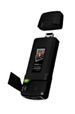
vzw_usb_720This is a picture of the USB Modem that I use with my Verizon connection to connect to the Internet while in my office at Borders Book Store (in the coffee shop). I believe that I can publish this with Windows Live Writer and that is all this is - just a test. I do know that to do this Blogger made me agree to Terms Of Service at Picasa and that is all I had to do. I have not figured out a way to connect that to Word 2007 however "I will work on it".

My HTML Class

This blog post is being created in MS Word 2007 using the Blog post template that is provided with MS Word. Generally I use Windows Live Writer however the latest version of MS Word comes prepared to do blog posting and with a few exceptions it is very good. It does have better ability to post text with all the spell check capabilities of Word as well as grammar punctuation. An example would be; after typing a period Word will uppercase the first letter of the next sentence – Live Writer will not do that (at least not now).

Word's picture abilities have been upgraded in the 2007 version however I am having issues uploading pictures using word. It would appear that I can do that in Windows Live Writer.

Sunday, June 1, 2008

HTML and the WEB

I am teaching an HTML class tomorrow and for review I have been out to W3C (World Wide Web Consortium) and reading about the development of the web and I still find it fascinating that the World Wide Web as we know it and use it has only been around for about 15 years at the earliest. The first browser, Mosaic, developed at University of Illinois was 1992. It was followed by Netscape in early 1994 and Internet Explorer in 1995. I sometimes wonder what maturity will bring us with the web. Right now we drive it, what happens when it is old enough to drive us?

What changes in web page development there has been over the years and yet we still have to know something about the code if we are going to be successful in developing web pages.

I also just became familiar with a sTLD (sponsored Top Level Domain) with the extension of .mobi for mobile. You can check it out here at http://mtld.mobi/domain.